
Pet Treat Packaging Artwork Checklist
A private label dog treat can pass sample review and still reach a costly obstacle at the printing stage. The front panel may describe an earlier recipe, the pouch may carry the wrong net weight, or the barcode may belong to a different pack size.
A pet treat packaging artwork checklist helps your brand, manufacturer and printer approve the same product. It connects the final formula and pack configuration to the words, graphics and identifiers that will appear on every retail unit.
Use the following review before releasing packaging for print. It focuses on practical approval work; the final label also needs review against the requirements of the destination market.
Establish the Exact Product Before Designing the Label
Start with one controlled product record. Include the SKU, recipe version, intended species, treat format, net weight or declared count, packaging format and target country. Add the version of the specification that the manufacturer will use for production.
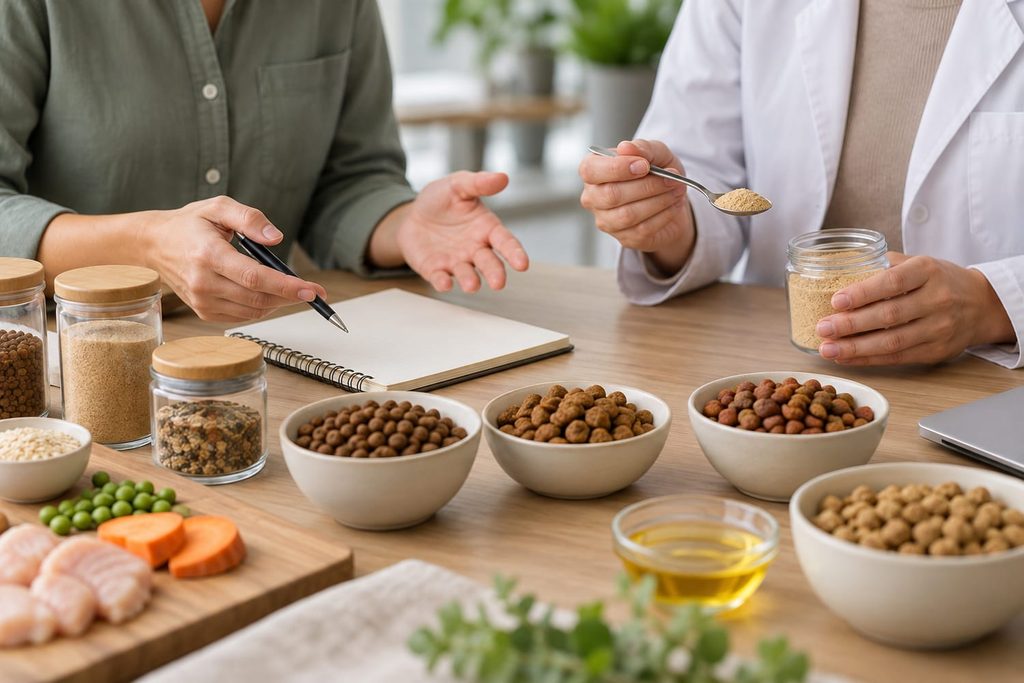
This record should answer a simple question: what exactly will go inside this pack? If the approved sample changes after the designer begins work, identify which label details may also need updating.
Avoid copying a previous product’s artwork and changing only its flavour name. Ingredients, feeding instructions, nutritional information, claims and pack identifiers may all differ.
For buyers still developing the product, Matchwell’s private label pet treat manufacturing services provide a route to discuss the recipe, format and packaging together. Confirm the feasible specification before commissioning the final print files.
Obtain the Printer’s Current Dieline
The dieline defines the physical artwork layout for the intended pack. Ask the manufacturer or packaging supplier for the correct version rather than building a design around an approximate pouch size.
Confirm the finished dimensions, seal areas, zipper position, tear notch, gusset and any window. Ask the printer to specify bleed, safe areas, colour requirements and how different finishes should be shown in the file.
The packaging structure and the artwork need separate approval. An attractive design does not establish that the selected material will protect the product, work on the packing line or support the intended shelf life. Those points belong in the technical packaging review.
Request a simple mock-up when the shape makes the layout difficult to judge. A flat design can place important information where it becomes folded, hidden or difficult to read on a filled pouch.
Create One Approved Source for Label Copy
Keep the text in a master copy document before inserting it into the artwork. Assign a person to confirm each category of information and record the version used by the designer.
The required fields depend on the product and market. For the United States, the FDA’s animal food labelling guidance identifies federal requirements including product identification, net quantity, manufacturer or distributor details, and an ingredient list. State rules can add requirements.
Use that guidance to identify the appropriate review, not as a complete global label template. Confirm the analytical or nutritional declarations, feeding information and other statements required for your destination and product category.
| Copy area | What the approval should establish |
|---|---|
| Product identity | The name and intended species match the approved product |
| Ingredient declaration | The text matches the current formula and market requirements |
| Net contents | The declaration matches the actual retail configuration |
| Feeding and storage text | The instructions match the product’s intended use |
| Business information | The correct responsible business and contact details appear |
| Claims and images | The overall presentation is supported by the product information |
Have translations reviewed against the approved source copy. A translation that sounds natural can still change the meaning of an ingredient description or claim. Keep each language version linked to the same product revision.
Review Claims and Pictures Together
Consumers interpret the complete package. Check whether ingredient pictures, product names, badges and short benefit statements create an impression that the supporting information can justify.
For example, a front panel dominated by one meat image should be reviewed alongside the recipe and the permitted product description. An earlier claim such as single ingredient should not remain in the artwork after other ingredients have been introduced.
Treat claims about health effects, natural positioning or absence of particular ingredients as individual review items. Do not add them because a competitor uses similar wording. Ask what evidence and market review are needed for the exact statement.
Keep a short claims register with the proposed wording, supporting information, reviewer and decision. This makes later changes easier to manage than a chain of untracked comments on design screenshots.
Check Product Identifiers at Every Packaging Level
Confirm who is responsible for assigning and maintaining the retail product identifier. Match the number in the artwork to the product record and the item that retailers will list.
Do not assume one barcode can cover every flavour, weight and pack configuration. Review the applicable GS1 rules when products change. The GS1 GTIN Management Standard states that a change to the legally required declared net content requires a new GTIN.
Ask the printer to review barcode type, size, contrast, placement and quiet zones for the intended scanning environment. GS1’s barcode implementation guide explains why these production choices matter.
A number matching in the PDF is only one part of the check. Arrange appropriate verification of the printed barcode. Also distinguish the retail unit from a multipack or shipping case and confirm which identifiers your trading partners require.
Reserve Space for Variable Production Information
Some information is applied during production rather than printed in the static artwork. Agree where batch details and date information will appear and which coding equipment will be used.
Confirm the wording and date format for the destination market, the size of the coding area, readability and whether the finished surface is compatible with the printing method. Check the filled pack so the code is not hidden by a fold or seal.
Keep the retail pack and shipping carton linked in the traceability plan. The carton should identify the product and configuration clearly enough for receiving and picking, while the actual coding requirements should be agreed with the manufacturer and relevant reviewers.
Review a Proof and a Filled Pack Before Print Release
Use the final proof to check the content against the master copy, rather than relying on how familiar the design looks. Read the ingredient statement line by line, compare the declared weight, verify the product identifier and check every language version.
Then examine the physical presentation. Is the text legible at actual size? Does the pouch stand as expected when filled? Is key information visible after the gusset opens? Can the shopper find the storage and feeding instructions?
Clarify what the proof represents. A digital PDF, a colour proof and a production-material sample answer different questions. Agree which approvals are required for your project before printing the full packaging order.
Where the product itself is still under review, use the pet treat sample approval checklist alongside the artwork review so that both approvals refer to the same specification.
Release One Final Version and Control Later Changes
The release record should identify the SKU, market, recipe revision, packaging specification and approved artwork filename. Record who approved the copy, technical pack details and print file, together with the approval date.
Make the final status explicit. A file called final-new-latest does not explain whether an older version is still authorised. Archive superseded artwork and tell the manufacturer and printer which version to use.
If a change is requested after approval, check its effect on remaining packaging stock, product identifiers, retailer information and the production schedule. Agree the transition before the revised file enters production.
Frequently Asked Questions
Can I use the same artwork for several flavours?
You can share a design system, but each product needs its own content review. Confirm the name, ingredient statement, images, claims, identifiers and any other product-specific details for every variant.
Who approves the final pet treat label?
Assign responsibilities explicitly. The manufacturer can provide product and production information, while the brand owner or importer should arrange the appropriate destination-market review. Agree who authorises the final print release.
Does a smaller bag only need a new net weight statement?
No. Review the complete layout, product identifier, pack configuration and any instructions affected by the change. A change in declared net content also needs consideration under the relevant GTIN rules.
What should I send to start a packaging project?
Provide the destination country, product format, recipe status, retail pack size, required languages, branding files and expected order quantity. Include existing artwork and explain whether it is a concept or an approved file.
Prepare Your Packaging Brief with Matchwell Pets
Matchwell Pets offers OEM and ODM pet treat development and private label manufacturing. Packaging decisions can be discussed alongside the product specification so your team understands what must be approved before production.
Request a custom manufacturing quote with your target market, treat format, preferred pack size, languages, estimated quantity and current artwork status. Ask for the packaging specifications and approval stages relevant to your project.